Local Event SEO: A Step-by-Step Playbook for 2026
Local Event SEO: A Step-by-Step Playbook for 2026

The fastest way to get local events found in search is to publish a schema-backed landing page, post the event on your Google Business Profile, and earn a couple of local .org or .edu backlinks. That’s local event SEO in one sentence: the practice of optimizing an event’s landing page, structured data, and local citations so search engines and AI tools surface it to nearby people actively looking for something to do. Skip any one of the three and your event competes on luck instead of visibility.
Here’s what to do in the next hour:
- Publish a dedicated event landing page (not a blog post, not just a social caption).
- Add the Event Schema JSON-LD skeleton with name, startDate, and location.
- Create a Google Business Profile “Events” post linking back to that page.
Pro Tip: Run your new page through Google’s Rich Results Test the moment you publish. Catching a missing field now saves you a week of invisible listings later.
Key Takeaways
Local event SEO succeeds when schema markup, Google Business Profile activity, and local backlinks work together instead of in isolation.
| Point | Details |
|---|---|
| Schema comes first | Add name, startDate, and location at minimum, then layer in offers and eventAttendanceMode. |
| GBP posts drive freshness | Regular Events posts on Google Business Profile improve Map Pack visibility and signal activity. |
| Sponsorships earn real links | A sponsorship around $250 can secure a lasting backlink from a local .org or .edu site. |
| Mobile experience decides conversions | Fast-loading pages with thumb-friendly CTAs keep the mobile searchers who find you from bouncing. |
| Eventhound consolidates the work | Listing an event on Eventhound pairs structured discovery and AI-driven recommendations with built-in analytics. |
Table of Contents
- Your One-Page Local Event SEO Checklist
- How Do You Build an SEO-Ready Event Landing Page?
- What’s the Best Way to Handle Maps on an Event Page?
- How Do You Earn Local Backlinks for an Event?
- Where Should You List Your Event?
- How Do You Measure and Reuse an Event’s SEO Value After It Ends?
- How Do Social Media and Local Groups Boost Event Visibility?
- Does Email Marketing Still Help Local Event Attendance?
- How Do You Manage Reviews and User-Generated Content?
- Why Does Mobile Optimization Matter So Much for Event Pages?
- Should You Run Paid Ads Alongside Your Organic SEO Work?
- Eventhound Observations From the Field
- Get Your Event in Front of the People Already Searching for It
- Frequently Asked Questions
- Sources
Your One-Page Local Event SEO Checklist
Print this, tape it to your monitor, or hand it to whoever manages your website. Order matters here because each step depends on the one before it.
- Build the landing page (30 to 60 minutes) — one URL per event, not a shared “events” page.
- Add JSON-LD Event Schema (15 minutes) — name, startDate, location at minimum.
- Post to Google Business Profile (10 minutes) — use the “Events” post type, not a generic update.
- Add map elements (20 minutes) — static hero image plus a click-to-load interactive map.
- Submit to calendars and sponsors (1 to 2 hours) — city calendars, chambers of commerce, partner sites.
- Set up UTM tracking (10 minutes) — every outbound link gets tagged before it goes live.
- Validate everything (5 minutes) — run the Rich Results Test one more time before you call it done.
Steps 1 through 3 are non-negotiable. Steps 4 through 7 are what separate an event that ranks from one that just exists.
How Do You Build an SEO-Ready Event Landing Page?
Your landing page needs to do two jobs at once: read naturally to a human scanning on their phone, and hand clean structured data to a crawler. Most organizers nail one and skip the other.
Start with the schema. At minimum, Google wants name, startDate, and location in your Event markup, though event schema built for AI discovery performs better with endDate, offers, eventAttendanceMode, and organizer added on top. That last point matters more than most guides admit: AI search tools rely heavily on structured markup to decide whether an event is even worth recommending, so a bare-bones schema doesn’t just limit your rich-result eligibility, it can quietly remove you from AI Overview and chatbot answers entirely.
If your event happens at a fixed venue, use @graph and @id references to connect the Event object to a Place or LocalBusiness entity. This lets the same page compete for both “venues near me” searches and date-specific “things to do this weekend” queries, doubling your entry points without doubling your work.
For the human side of the page, keep these elements above the fold:
- A clear, specific title (skip “Community Event” and write “Third Saturday Farmers Market, Old Town Plaza”).
- Date and time with the timezone spelled out.
- Full location with a linked address.
- One obvious ticket or RSVP call to action.
- Three to five bullet points on why someone should show up.
- A short agenda or speaker list if applicable.
Adoption of schema markup among first-page results is already high, and pages using it tend to see better click-through and rich-result eligibility according to local event promotion research. Validate with the Rich Results Test first, cross-check with the Schema Markup Validator, then keep an eye on Search Console’s rich results report over the following weeks. Need copy inspiration for that “why attend” section? Eventhound’s event description examples give you templates to adapt instead of staring at a blank page.
What’s the Best Way to Handle Maps on an Event Page?
Load a static map image first, then swap in the interactive version only when someone taps it. This single decision protects your Core Web Vitals score while still giving visitors the routing tool they actually want, a pattern confirmed in map SEO research for event pages. A heavy embedded map loading on page render is one of the most common reasons event pages score poorly on mobile speed tests.
Once someone taps into the interactive map, give them one-tap routing:
- A Google Maps link with turn-by-turn directions.
- A Waze link for drivers who prefer it.
- UTM parameters on both, so you know which app actually drove foot traffic.
- A plain-text address fallback for anyone on a slow connection or using a screen reader.
Accessibility isn’t optional here either. Add descriptive alt text to your static map image and a proper title attribute to any map iframe.
Pro Tip: If you’re running dozens of small community events and budget is tight, a self-hosted Leaflet or OpenStreetMap setup costs nothing in API fees and still delivers the progressive-loading pattern. Save the paid mapping APIs for high-traffic flagship events where support and reliability matter more.
How Do You Earn Local Backlinks for an Event?
City-level backlinks are the trust signal that separates an event page search engines take seriously from one they treat as noise. The good news: you don’t need a PR agency to get them.
Start with community calendars. Chamber of commerce sites, city tourism boards, and local news “things to do” pages almost always accept free submissions. Include the canonical URL of your landing page, a real image (not a stock photo), and a two-sentence description written the same way each time so you’re not creating duplicate, conflicting copy across the web, and consider submitting to local businesses in Southern California to boost visibility.

Sponsorships are the underused move here. A modest sponsorship of around $250 to a Little League chapter, school fundraiser, or local nonprofit routinely earns you a dedicated backlink from their .org site, exactly the kind of high-trust domain Google weighs heavily for local relevance.
For press coverage, follow this order:
- Write a tight, factual release: who, what, where, when, why it matters to the neighborhood.
- Send it to your smallest local outlet first. They’re more likely to run it, and a real local outlet picking it up gives you credibility a national wire release never earns.
- Follow up with a photo the outlet can use, not just a text pitch.
Eventhound’s press release guide for organizers walks through the exact format local editors respond to. For ongoing link partnerships, reach out to your venue, guest speakers, and vendors about a co-marketing swap. Eventhound’s local partnership ideas piece has templates you can adapt for that outreach.
Where Should You List Your Event?
Prioritize in this order: your own landing page first, then your Google Business Profile event post, then city and community calendars, then niche local aggregators, then partner or venue pages. Each channel should point back to your canonical URL, never split traffic across five competing versions of the same event.
If you’re running the same event across multiple California cities, resist the urge to copy and paste. Write unique intros for each location, swap the local landmarks you reference, and change the “why attend” bullets to reflect what’s actually different about that stop. Duplicate content across city pages cancels out the very local relevance you’re trying to build.
Timing is where most organizers lose ground before they even start. Publishing early gives search engines time to index the page and gives other sites time to link to it; a page that goes live five days before doors open has almost no runway to earn authority. Coordinate your GBP post, calendar submissions, and press outreach to launch together, ideally three to six weeks out. Eventhound’s guide to where to list events for free breaks down the full channel list if you want the long version.
How Do You Measure and Reuse an Event’s SEO Value After It Ends?
Tag every outbound link before launch: separate UTM parameters for your GBP post, each calendar listing, press mentions, and partner links. Pull the results into GA4 so you know which channel actually drove foot traffic, not just clicks.
In Search Console, watch two signals in particular: rich result impressions on your event page, and any spike in branded plus city queries (“[your event name] Sacramento”) in the weeks after launch. That spike is a good sign your local relevance is compounding.
Don’t let the page die the day after the event. A recap post, a geotagged photo gallery, a short video highlight reel, or a quote from a speaker each gives other sites a fresh reason to link to you.
| Post-event asset | SEO value |
|---|---|
| Recap blog post | Keeps the URL active and linkable for next year’s search |
| Geotagged photo gallery | Reinforces local relevance signals for the venue and city |
| Video highlights | Earns shares and secondary links from attendees |
| Speaker or vendor quotes | Gives partners a reason to link back from their own sites |
Run the same event annually and this compounds. Repeated GBP activity and consistent local engagement build what amounts to a ranking heatmap for your neighborhood over time.
How Do Social Media and Local Groups Boost Event Visibility?
Social platforms won’t hand you a backlink, but they do something search engines quietly reward: they generate the early clicks, shares, and search volume that signal an event is worth ranking. Post your event to community-specific Facebook Groups, neighborhood Nextdoor threads, and any local subreddit before you push it to your general business page. These smaller, geographically tight audiences convert into actual attendance far more reliably than a broad follower base.
Instagram and Facebook Events both let you set a location and link directly to your landing page. Use that link field every time. It’s a small habit, but it’s also one of the easiest ways to drive the branded search queries Search Console picks up as a positive local signal.
Local Facebook Groups dedicated to “[Your City] Happenings” or “[Your City] Moms” often have stricter posting rules than a public page, but they also have far higher engagement per post. Read the group rules, post once, and respond to every comment. That back-and-forth is exactly the kind of engagement that keeps a post visible in the group’s feed longer, which means more eyes on your event over a longer window.
Don’t ignore hyperlocal hashtags either. A tag like #SantaClaritaEvents will never trend nationally, but it puts your event in front of the tiny slice of people who actually live close enough to attend, which is the entire point.
Does Email Marketing Still Help Local Event Attendance?
Yes, and it often outperforms social media for one simple reason: your list already opted in to hear from you. A weekly or biweekly local events roundup, even a short one, keeps your landing pages getting fresh traffic in the days before an event goes live, which matters for both attendance and the freshness signals search engines pick up on.
Segment your list by neighborhood or city if you serve more than one area. A single blast that mentions five events across California reads as noise to someone who only cares about what’s happening in their own zip code. A segmented email that says “This Weekend in Fresno” converts at a completely different rate.
Send at least two touches per event: an announcement two to three weeks out, and a reminder 48 hours before doors open. Include the same canonical link both times so your click data stays clean and easy to attribute. Eventhound’s email marketing playbook for organizers has subject line and send-time guidance if your open rates need a boost.
One thing organizers consistently skip: asking subscribers to forward the email to a friend. A forwarded invite from a real person beats almost any ad you could run, and it costs you nothing.
How Do You Manage Reviews and User-Generated Content?
Reviews and attendee photos do double duty. They build social proof for the next event, and they generate the kind of real-world engagement signal that helps your local listings stay competitive. Prioritizing this kind of in-person engagement, sometimes called physical signal velocity, tends to correlate with more stable local rankings over time, since it shows search engines the event genuinely draws a crowd rather than just existing on paper.
Ask for reviews while the good feeling is still fresh. A simple sign at the exit with a QR code linking to your Google Business Profile review page captures far more responses than an email sent three days later.
Create a simple, memorable event hashtag and put it on signage, name tags, and any printed program. Geotagged photos and check-ins tagged during the event feed directly into the kind of activity that keeps a Google Business Profile looking active between events.
When negative feedback shows up, respond publicly and quickly. A thoughtful reply to a critical review often reads better to future attendees than a page full of five-star silence. Repost the best attendee photos (with permission) to your event recap page. That user-generated content becomes free, authentic material for next year’s landing page and gives you something concrete to link to from your recap post.
Why Does Mobile Optimization Matter So Much for Event Pages?
Most people searching “events near me” or “things to do this weekend” are doing it on a phone, often standing in line somewhere or scrolling on a couch deciding what to do tonight. If your event page loads slowly or makes them pinch and zoom to find the date, they’ll bounce back to the search results in seconds.

Keep your critical information (title, date, time, location, CTA button) visible without scrolling on a standard phone screen. Buttons need to be thumb-friendly, at least 44 pixels tall, with enough space around them that a fat-fingered tap doesn’t miss.
The map strategy covered earlier isn’t just about Core Web Vitals scores; it’s about not making someone wait eight seconds for an embedded map to load before they can see where to go. Compress your hero images, avoid autoplay video, and test the page on an actual mid-range Android phone, not just your own high-end iPhone. What looks fast on a flagship device can crawl on the phone your average attendee is actually using.
Ticket and RSVP buttons should also work with mobile wallets and one-tap checkout where your ticketing platform supports it. Every extra form field or slow-loading step between “interested” and “registered” costs you conversions you already earned through your SEO work.
Should You Run Paid Ads Alongside Your Organic SEO Work?
Organic local event SEO takes weeks to build momentum. Paid geo-targeted ads can fill that gap immediately, especially for a time-sensitive event where you don’t have six weeks to wait for backlinks and indexing to kick in.
Google’s Local Services and geo-targeted Search campaigns let you bid specifically on searches happening within a set radius of your venue, which keeps spend from leaking out to people who could never attend anyway. Facebook and Instagram’s location-based ad targeting works similarly and tends to be cheaper per click for smaller local audiences than broad Google Search terms.
Paid and organic aren’t competing budgets, they’re complementary ones. Use paid ads to drive early traffic and engagement signals to a brand-new landing page while your schema markup and backlinks are still being indexed and crawled. That early activity, plus the UTM-tagged clicks you’re already tracking, gives you real data on which messaging and imagery convert before you scale up either the ad spend or next year’s organic outreach.
A modest geo-targeted budget, even $50 to $100 for a single weekend event, can be enough to validate whether your landing page copy and ticket CTA are actually working before you invest more time in the slower organic tactics covered above.
Eventhound Observations From the Field
A small venue that paired a Google Business Profile event post with a $250 sponsor link from a local youth sports league saw a noticeable jump in “near me” discovery within weeks, exactly the kind of layered signal this playbook is built around. Community calendars almost always ask for the same three things: a canonical URL, a real photo, and a two-sentence description, so keep that packet ready to send on request. Eventhound’s own work sits at the intersection of local discovery and AI-driven recommendation, which is exactly why schema-first, freshness-driven tactics keep showing up as the highest-leverage moves for organizers.
Get Your Event in Front of the People Already Searching for It
Everything above works, but it takes time to execute manually across a landing page, a Business Profile, calendars, and outreach emails. Eventhound gives California event organizers a faster path to the same outcome: a listing platform built specifically for local discovery, where your event gets structured data, location-based targeting, and AI-driven recommendations handled as part of the listing itself instead of a separate technical project.
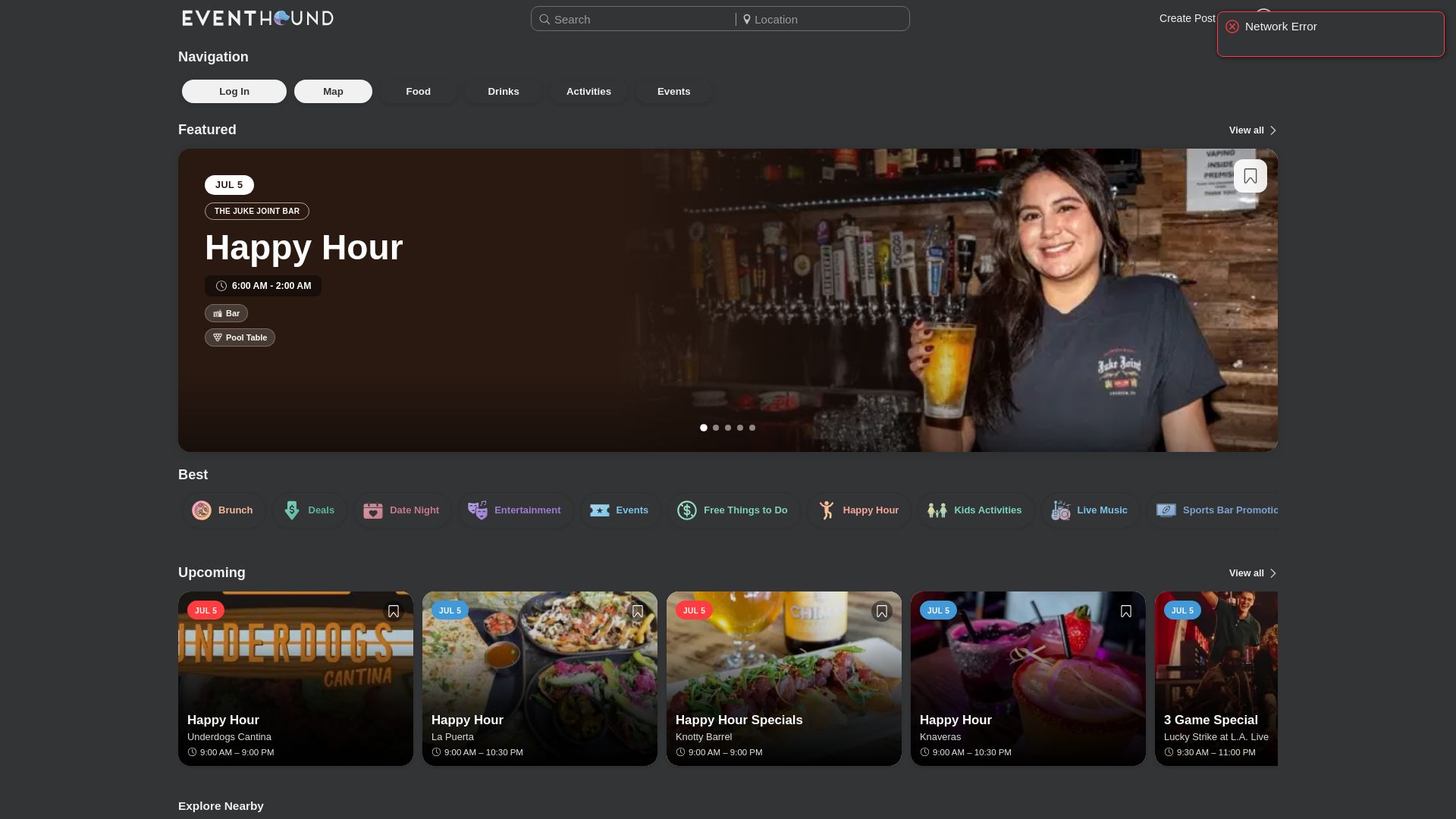
When you list on Eventhound, your event becomes part of a search and recommendation system already tuned for “things to do near me” queries, alongside real analytics on who’s viewing and clicking your listing. Businesses can also add promoted placements when they want extra reach for a specific date. Browse a live example like Family Fun in the Park in Clovis to see how a listing looks in practice, then check out how it works to get your own event listed this week.
Frequently Asked Questions
What is local event SEO? Local event SEO is the practice of optimizing an event’s landing page, structured data, and local citations so search engines and AI tools show it to nearby people searching for things to do. It combines Event Schema, Google Business Profile activity, and local backlinks.
Do I need a developer to add Event Schema to my page? Not necessarily. Many website platforms and plugins generate JSON-LD from form fields you fill in, and you can always validate the output with the Rich Results Test without touching code.
How early should I publish my event landing page? Aim for three to six weeks before the event. That window gives search engines time to index the page and gives calendars, partners, and press enough runway to link to it before doors open.
Does posting on Google Business Profile really help ranking? Yes. Regular Events posts on your profile act as a freshness signal search engines factor into Map Pack visibility, and they give people scanning local search results a direct, fast way to see event details.
Is a $250 sponsorship really enough to get a useful backlink? It’s often enough for a small local organization, especially schools, youth sports leagues, and community nonprofits, to add your business as a sponsor with a link on their .org site. Ask directly when you sponsor; it’s rarely offered automatically.